Free Animated QR Code Generator
18 motion effects, exported as a looping GIF or a pulse-and-hue-shift animated SVG. Every frame is generated from the same QR data, so the animation is decorative and the code stays scannable throughout the loop.
18 GIF effects
Ripple, Wave, Spiral, Matrix rain, and 14 more. Pick one in the Animation tab.
No watermark
Free, unlimited downloads. We add zero branding to the output file.
Browser only
Every frame is rendered on your device. Nothing is uploaded.
✓ No Signup Required·✓ Static · Never Expires·✓ Free · No Signup·✓ Works Offline · Unlimited
Free QR Code Generator
Paste a link, customize, and download. Free, no account, and 100% in your browser - your data never leaves your device.
How to make an animated QR code
- Enter your URL above and pick a color or style if you want one.
- Open the customize panel and select the Animation tab.
- Tap one of the 18 effects - it animates live in the preview immediately.
- In the export row, choose GIF to download that effect as a looping file, or Animated SVG for a smaller, vector alternative (see below - it uses a different, fixed animation, not the effect you just picked).
The 18 GIF effects
Every effect uses the same mechanism: each dark module is drawn at somewhere between 55% and 100% of its full cell size, and that size oscillates frame to frame according to the effect's formula (distance from center, angle, row, or a per-module random seed). The three corner finder patterns and the center timing row/column always render at full size in every frame, since scanners rely on them most to lock onto the code.
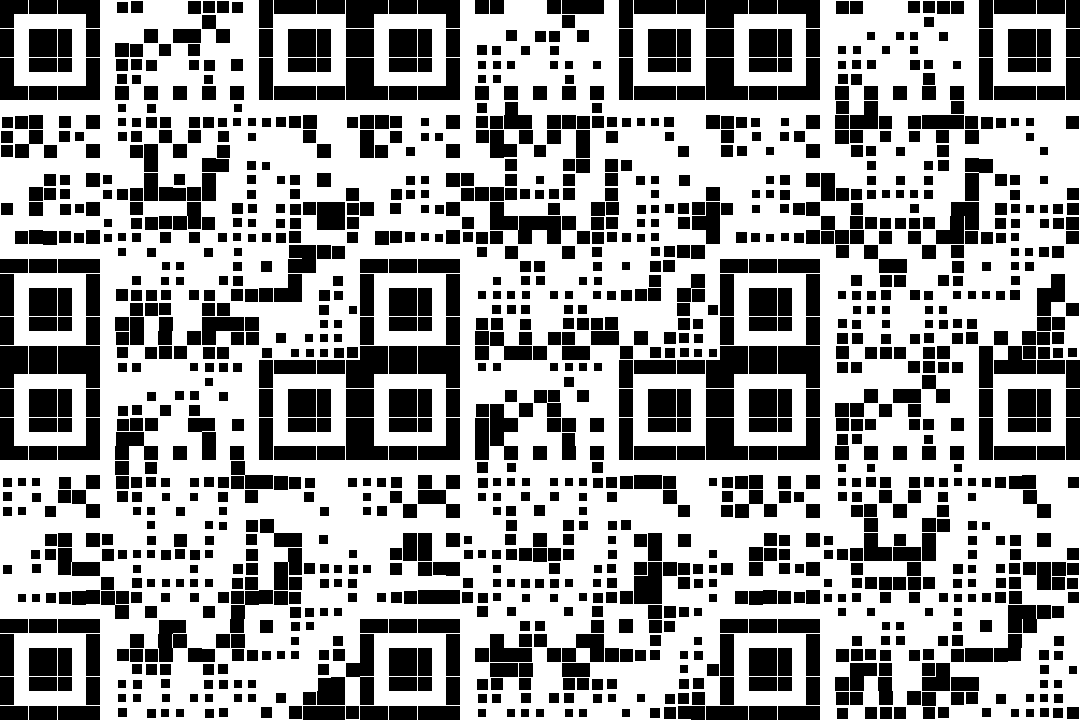
This is a real exported GIF (the Ripple effect, default selection), not a mockup. It animates when viewed in a browser or image viewer that supports GIF playback.
Rings pulse outward from the center
A band sweeps left to right
Ripple with a rotational twist
Modules pulse in a rotating pinwheel
Layered sine waves, an organic shimmer
Each module flickers on its own random phase
Two quick pulses, like a heartbeat monitor
The whole code grows and shrinks in sync
Ripple with a diamond-shaped wavefront
Fast rotating spokes from the center
A band bounces up and down like a ball
Checkerboard groups pulse out of phase
A ring expands from the center to the edge
A ring contracts from the edge to the center
Columns fall top to bottom at random offsets
A rotating band that spirals toward the edge
A single line sweeps top to bottom
A band sweeps corner to corner
Why the animation never breaks the scan
A QR scanner needs three things to lock on: the three corner finder squares, the timing pattern that tells it where each module row and column sits, and enough dark modules to reconstruct the data with error correction. This generator never shrinks the finder squares or the timing pattern, and no module ever disappears completely (the minimum drawn size is 55% of a cell, still solidly within the scanner's threshold). The output is 24 frames at 80ms each, about a 1.9-second loop, rendered at 360×360px.
GIF vs animated SVG: measured file size
We generated the same QR code both ways and measured the actual output files. The GIF encodes 24 full raster frames; the animated SVG is a single vector QR code with a small CSS animation appended, so its size barely changes with the QR's complexity.
| GIF (per effect) | Animated SVG | |
|---|---|---|
| Measured file size | ~142-161 KB (3 effects tested) | Typically 1-5 KB (a ~375-byte CSS block on top of your vector QR) |
| Animation source | 24 raster frames, one of 18 module-size effects | Fixed opacity pulse (2.4s) + hue rotation (12s), same for every download |
| Loop length | ~1.9 seconds (24 frames x 80ms) | 12 seconds (hue cycle); pulse repeats every 2.4s |
| Scales without blur | No - raster, fixed 360x360px | Yes - vector, any print or screen size |
| Works in email clients | Mixed - many strip animated GIFs | Mixed - depends on the client's SVG/CSS support |
| Works in Instagram/TikTok stickers | Yes | No - upload as GIF or video |
Sizes were measured directly with this site's own export code (gif.js encoder, quality 10) for a link2qr.com URL at error correction M; your own file size will vary with QR complexity, color, and the effect you choose.

A real exported animated SVG at 1.5 KB, the pulse and hue-rotate should be visible directly in this page if your browser animates CSS inside an <img>-embedded SVG.
A second option: the one-click rainbow GIF
The export menu also has a plain GIF button, separate from the 18 named effects. It does not shrink or grow modules at all; instead it cycles through the QR's 8 valid mask patterns (every one of the 8 official QR masking rules still encodes your exact data, just with a different visual arrangement of modules) while rotating the foreground color through the color wheel. That version renders 16 frames at 120ms each and is closer to the classic "rainbow QR" look than a module reveal effect.
Where to use animated QR codes
- Instagram & TikTok - GIF works in story stickers and end cards; animated SVG does not upload there.
- Digital signage - GIF for rotating screens, restaurant menus, and lobby displays that just play a video/image loop.
- Web pages and email signatures - animated SVG is far smaller and infinitely sharp, but check your email client renders inline SVG animation before relying on it.
- Slack/Discord - GIF auto-plays inline and stands out in a message feed.
Advertisements
FAQ
Do animated QR codes still scan?
Yes. The finder patterns and timing pattern always render at full size, and no data module ever shrinks below 55% of its cell, well within what phone cameras can decode. Modern cameras also lock onto a single frame instantly, so the motion itself does not slow down scanning.
GIF or animated SVG, which should I use?
Use GIF for social media story stickers, digital signage, and any platform that does not support inline SVG animation. Use animated SVG for your own website or email signature: it is typically under a few KB versus 140-160KB for a comparable GIF, and it stays sharp at any size since it is vector.
Can I choose which effect the animated SVG uses?
No. The 18 named effects (Ripple, Wave, Spiral, and so on) only apply to the GIF export. The animated SVG always uses the same fixed animation: a 2.4-second opacity pulse on the dark modules plus a 12-second hue rotation across the whole code.
Will the animation loop forever?
Yes, both the GIF and the animated SVG loop infinitely with no play limit.
Why is the GIF so much bigger than the SVG?
The GIF stores 24 full raster frames at 360x360px. The animated SVG is the same small vector QR code you would export normally, with about 375 bytes of CSS added, so it stays in the low single-digit kilobytes regardless of which effect you were previewing.